Split a four-person meal with PlanLo: records to settlement
When splitting a meal, it is easy to confuse who paid first with who should bear the cost. This tutorial separates them using fictional accounts. A, B, C and D spend HK$480 in total, shared equally at HK$120 each. A pays HK$400, B pays HK$80, and C and D pay nothing upfront. These amounts are calculation examples, not restaurant prices, and involve no real receipts or transactions.
Tested on 31 October 2026 with the PlanLo preview build of 31 October 2026
List participants and payment records first
Before starting, write the four labels and payment records on paper. Each record should identify the payer, purpose, currency and amount, and make clear whether surcharges or refunds are included. If two people pay parts of one receipt, their actual payments should add up to its total. Do not count the same receipt as two full purchases.
When opening PlanLo Split, check whether there are existing accounts you need to keep. Export a backup before practising in a separate test environment. Add A, B, C and D, then check each label. For real use, obtain the participants’ agreement first. Keep private names, phone numbers and payment identifiers out of tutorial screenshots.
Add four participants
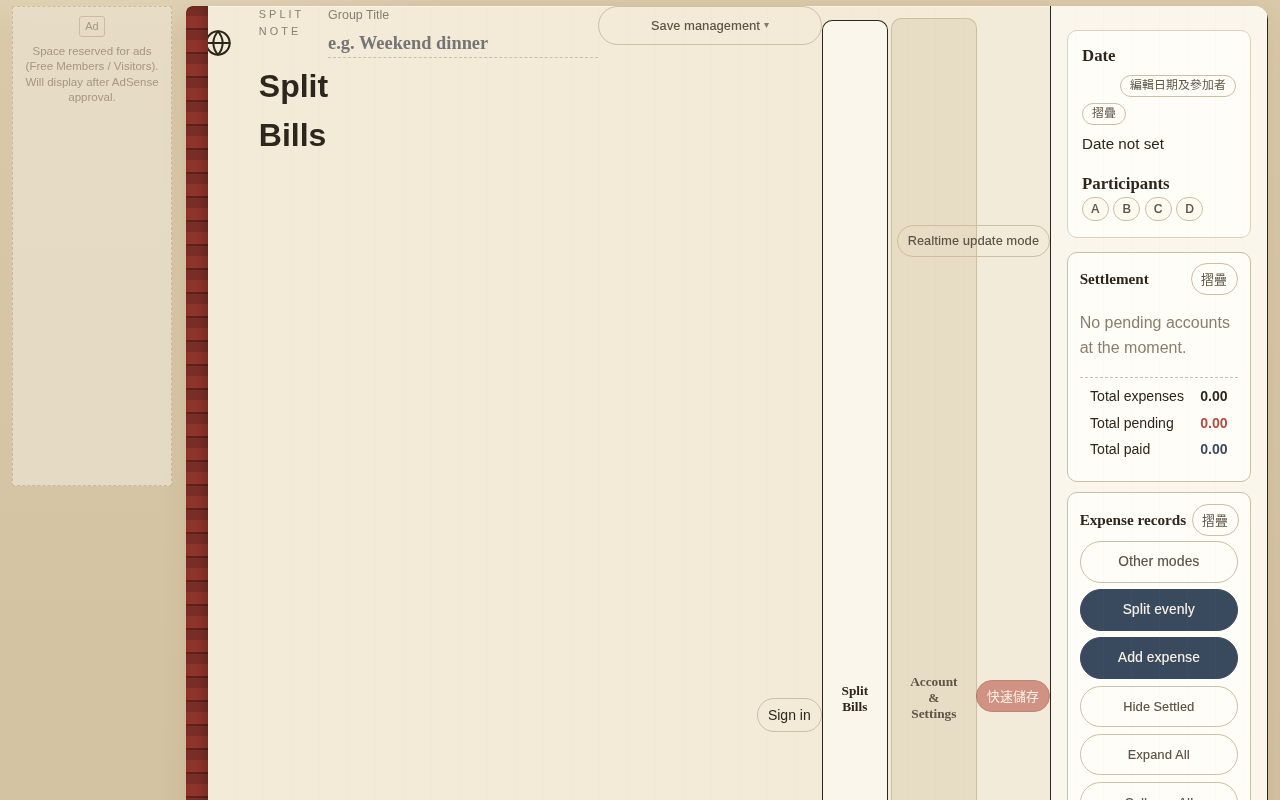
Open “Edit date & participants”. In “Participants”, enter A in “New name” and press “Add”; repeat for B, C and D. Check that all four appear once.
Enter equal and individual expenses
Enter equal and individual charges
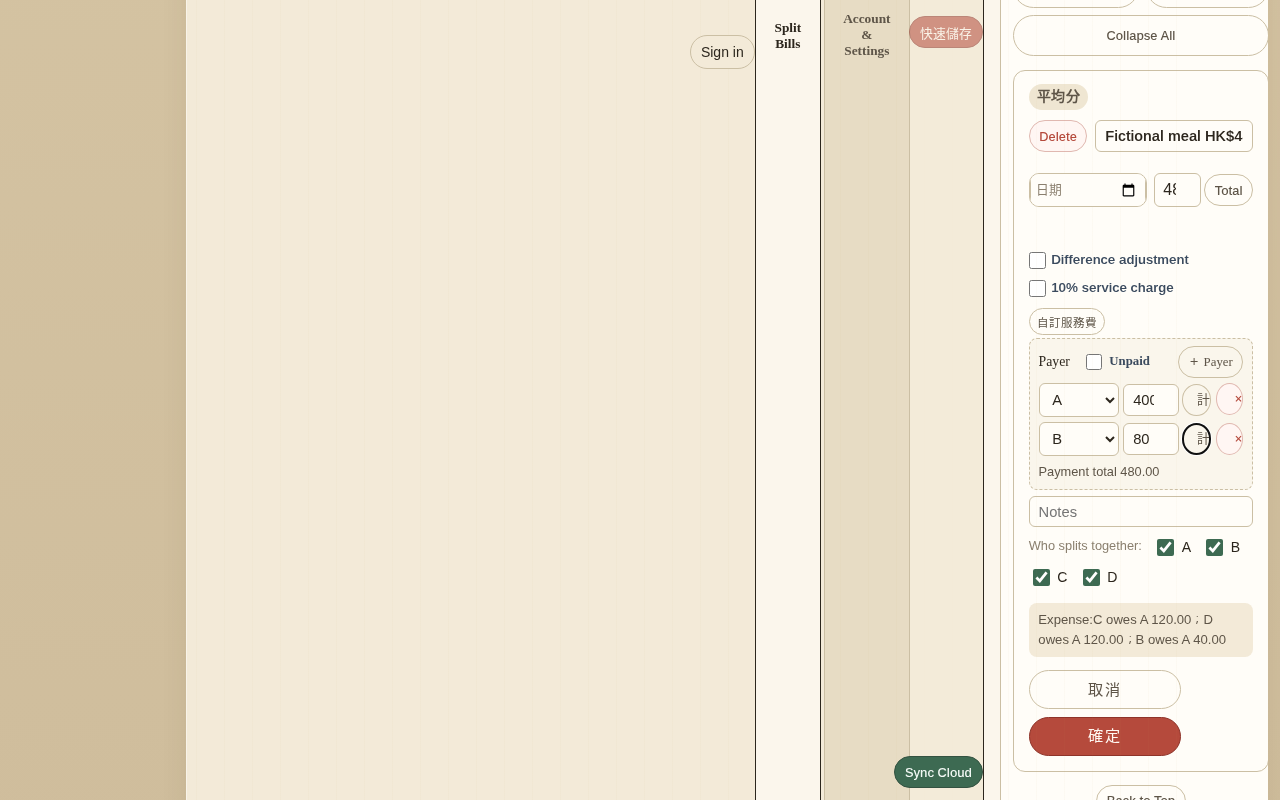
Press “Split evenly” for the shared meal payment. Enter A as payer and 400 as the amount, selecting A, B, C and D as the people sharing it; press “確定” (the English app source retains this Chinese button label). Repeat with B paying 80, again shared by all four. Equal sharing divides an amount among selected people. “Add expense” records individual consumption: enter each person’s items and amounts rather than dividing the total equally. Practise that separately so this example remains 480 in total.
Practise equal shares with a common expense
All four participants agree to share the entire HK$480 equally. If you represent it with two payment records, A’s HK$400 is divided among four people at HK$100 each. B’s HK$80 is also divided among all four at HK$20 each. Together, each person still owes HK$120. After every entry, check both the payer and the people sharing the expense, rather than looking only at the total.
Calculate personal spending separately
If someone buys an additional drink for themselves, ask whether everyone agrees to share it. Without that agreement, do not add it to the four-way split for convenience. Before practising with an individual expense, retain a backup of the original example and clearly record the extra purchase and who bears it. Otherwise, HK$120 per person will no longer be a valid checking baseline.
Check shares with a worked example
| Participant | Paid | Share | Net amount |
|---|---|---|---|
| A | 400 | 120 | Receive 280 |
| B | 80 | 120 | Pay 40 |
| C | 0 | 120 | Pay 120 |
| D | 0 | 120 | Pay 120 |
First check totals: 400 + 80 = 480, and four shares of 120 also equal 480. Next, subtract each person’s share from their payment: A has 400 − 120 = 280; B has 80 − 120 = −40; C and D each have −120. Finally, check that receipts and payments balance: A should receive 280, while the others should pay 40 + 120 + 120 = 280 altogether. These three checks help distinguish entry errors from misreading who pays whom.
Read the settlement results
Check Settlement
Read “Settlement” after confirming both records. The expected result is A receiving 280, B paying 40, and C and D paying 120 each. Each person’s share is 120. Compare the screen with the table above before treating the bill as ready for payment.
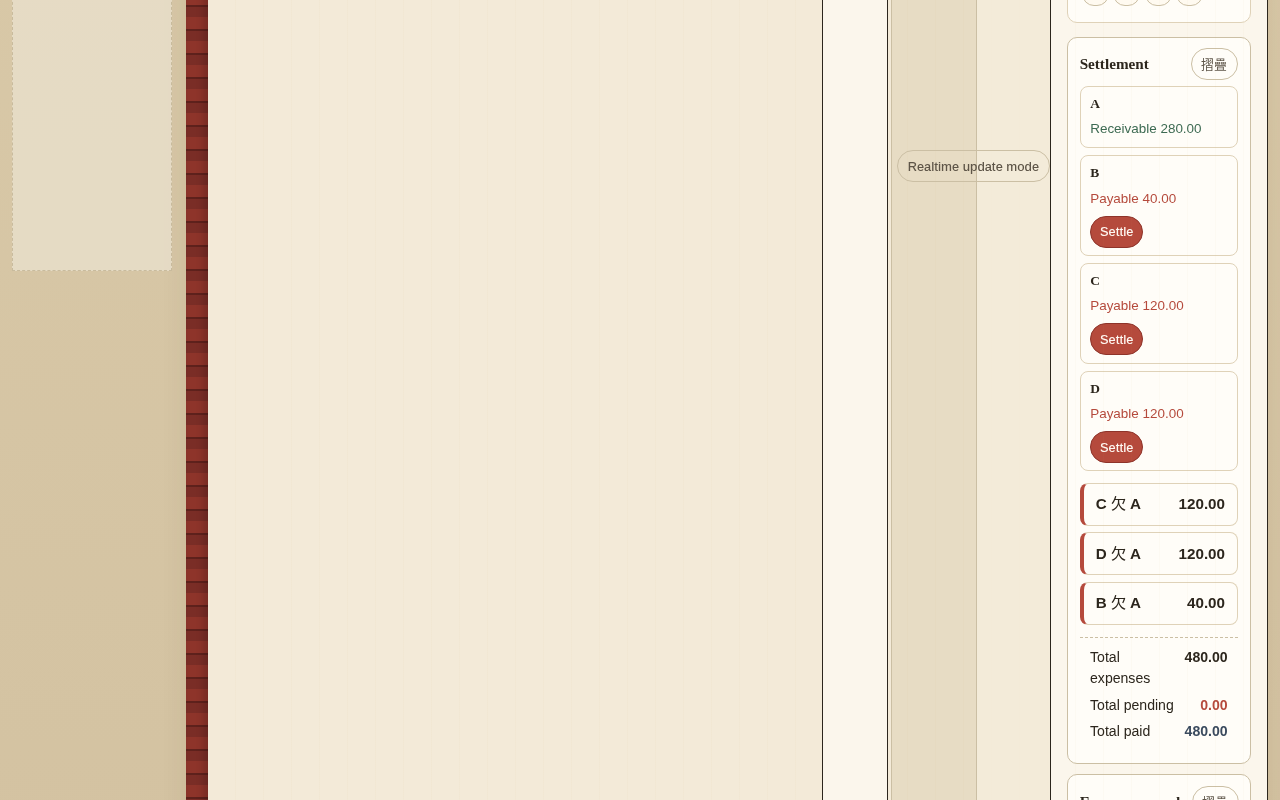
A positive amount means someone paid more than their share; a negative amount means they still owe money. The tool may arrange suggested transfers in different ways, so do not present one pairing as the only answer. Check each person’s final net amount before reading the suggested payment routes. The accounts are settled only when completing those payments brings everyone’s balance to zero.
The English settlement screen still displays the source label「欠」; treat it as an untranslated UI label, not a different calculation.
A settlement suggestion does not prove payment. Ask recipients to confirm transfers and record partial payments accurately.
Export backups and check before sharing
Choose the right export
Open “Save management”, then “Export backup / file”. Choose “Backup file” for data that can be restored with “Import backup”. In “Export backup”, choose “No encryption” or “Encrypt”; encrypted backups need the password for restoration. “Excel” creates a spreadsheet report; “Print / PDF” opens the print route for a paper copy or browser PDF. These reports are for reading and sharing, not replacements for the app backup. Keep a backup before changing the records, inspect any report before sharing.
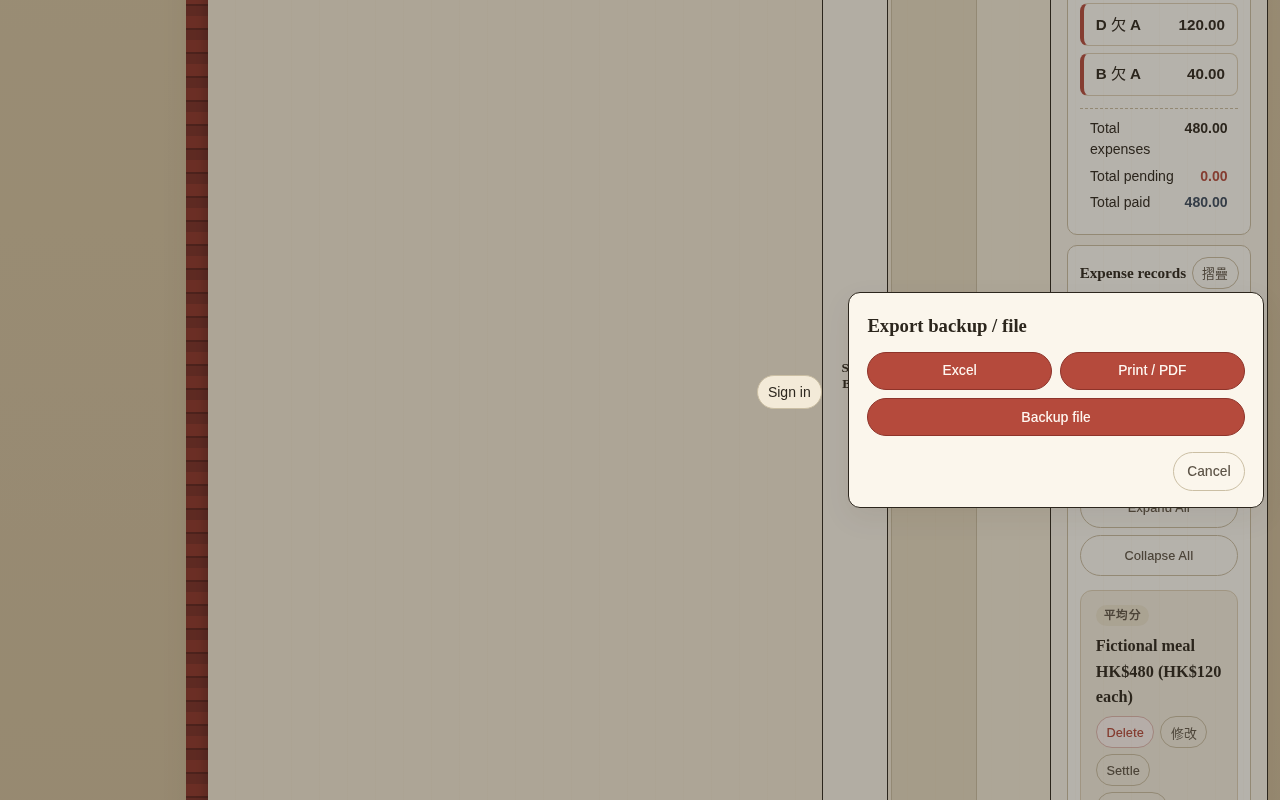
Before making major changes or deleting participants, export a backup and check the file. Backing up preserves data; sharing gives others access to it. Before sharing, recheck names, notes, receipt contents and link permissions. In particular, keep payment identifiers and private messages out of tutorial screenshots.
Correct common accounting errors
If the total is correct but individual amounts are wrong, first check whether someone was left out of a split, then whether the wrong payer was selected. If the total has doubled, look for a duplicate receipt entry. For small differences, check decimals, refunds and currencies before adding any unexplained expense.
When there is a disagreement, return to the original payment records and have all four people confirm the sharing agreement. The tool helps with arithmetic; it cannot decide what is fair for the group. After changes, repeat the total, individual net amount and payment balance checks. Finally, save the version everyone confirms.